> ## Documentation Index
> Fetch the complete documentation index at: https://docs.featureform.com/llms.txt
> Use this file to discover all available pages before exploring further.
# Interact with the CLI
The Featureform CLI allows you to describe, list, and monitor your resources.
## APPLY Command
The **apply** command submits resource definitions to the Featureform instance.
The argument can either be a path to a local file or the url of a hosted file. Multiple files can be included at a time.
```python theme={null}
featureform apply --host $FEATUREFORM_HOST --cert $FEATUREFORM_CERT
```
Upon success, all definitions in the **definitions.py** (or whatever you choose to call it) file will be sent to the Featureform instance, logged in the metadata, and materialized with the registered providers.
After applying new resource definitions, you can use the **GET** command to see the status of the resources you applied. A resource with the status **READY** is available for serving.
## DASH Command
```python theme={null}
featureform dash
```
The **DASH** command is used to access the featureform dashboard. It returns a URL to the locally hosted dashboard.
The dashboard can be viewed at `http://localhost:3000` in your browser
The Featureform dashboard:
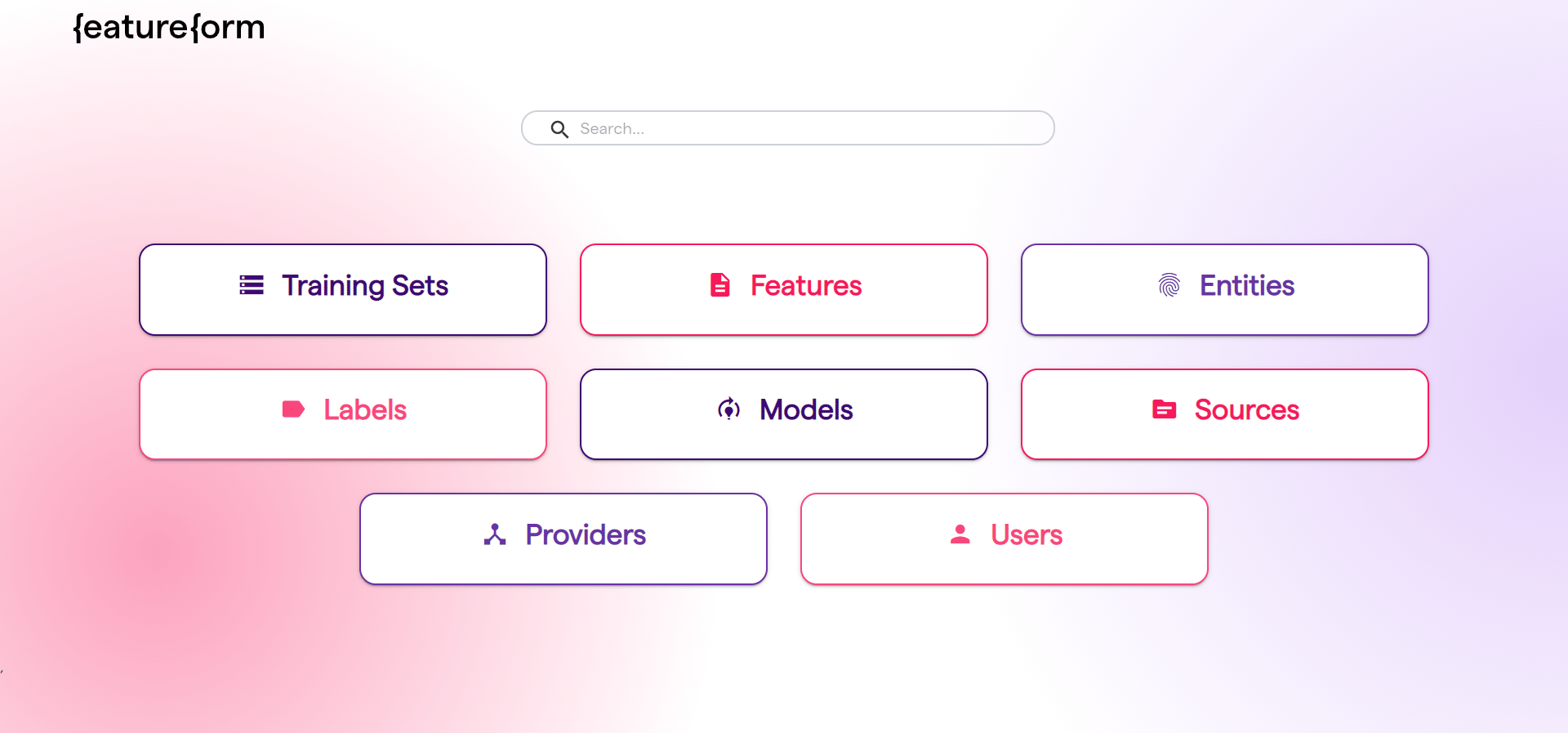 Each button on the dashboard redirects you to a list of resources of that resource type.
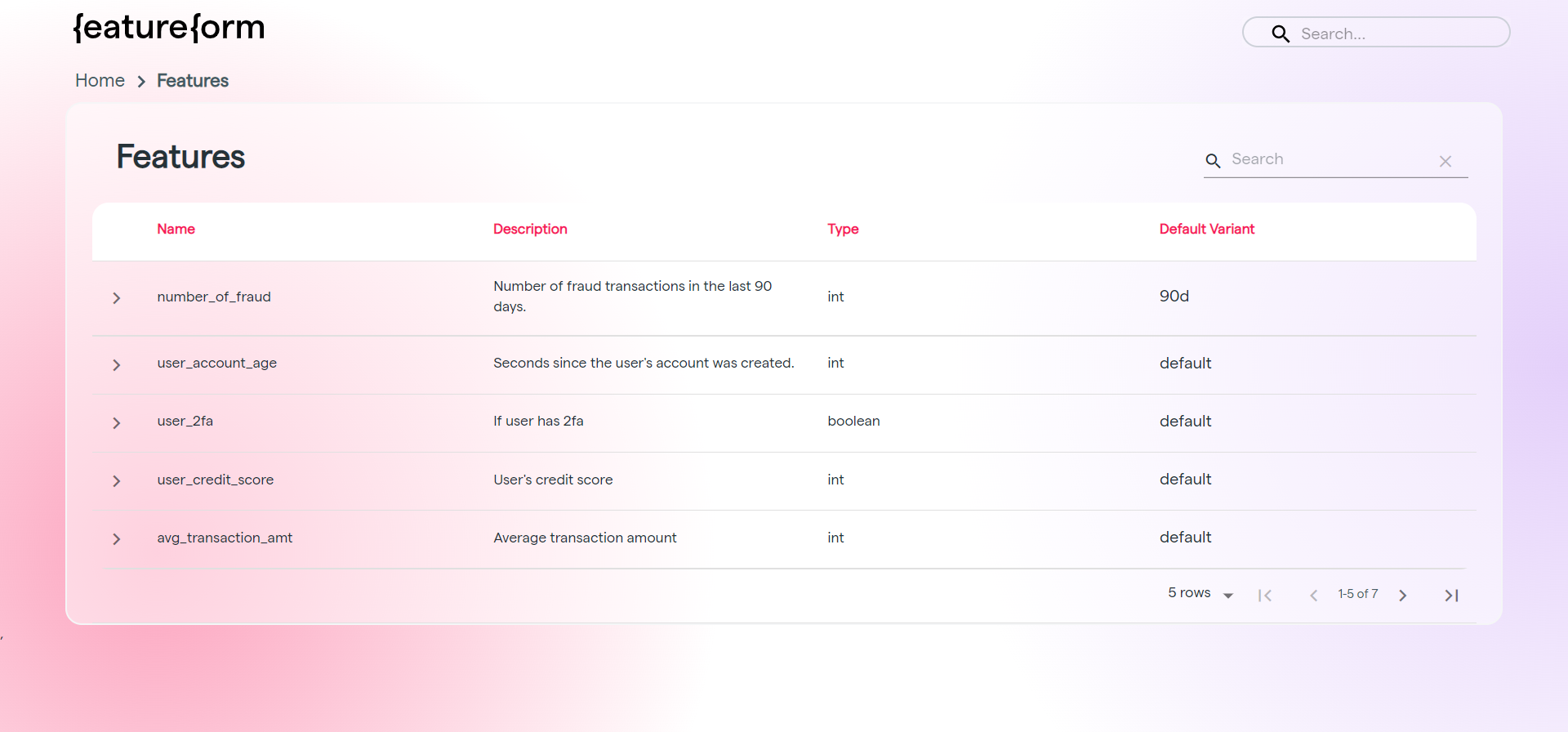 Each resource can then be clicked on to learn more.
## GET Command
The **GET** command displays status, variants, and other metadata on a resource.
```python theme={null}
featureform get RESOURCE_TYPE NAME [VARIANT] --host $FEATUREFORM_HOST --cert $FEATUREFORM_CERT
```
**RESOURCE\_TYPE** (required) can be:
* **feature -** machine learning features
* **label -** machine learning labels
* **training-set -** set of features and one label for training ML models
* **user -** registered users in your instance
* **entity -** identifier for a source of features or labels (akin to a primary key)
* **model -** registered machine learning models which training sets and features are fed to
* **provider -** registered 3rd party providers which store your data
* **source -** files, tables, or transformations that features, labels and training sets source from
**NAME** is the name of the resource type to be queried.
**VARIANT** is optional, for when information on a specific variant is needed.
### Example: Getting a User
The commands are both valid ways to retrieve information on the user **"featureformer".**
The first is with certification. The second without; the **--insecure** flag disables the need for the **--cert** flag
```
featureform get user featureformer --host $FEATUREFORM_HOST --cert $FEATUREFORM_CERT
featureform get user featureformer --insecure --host $FEATUREFORM_HOST
```
Either command returns the following output.
```
USER NAME: featureformer
NAME VARIANT TYPE
avg_transactions quickstart feature
fraudulent quickstart label
fraud_training quickstart training set
transactions kaggle source
average_user_transaction quickstart source
```
Listed below the user are all the resources registered to that user.
### Example: Getting a Resource
The following command shows how to retrieve information on a specific resource, a **feature** named **"avg\_transactions"**.
```
featureform get feature avg_transactions --host $FEATUREFORM_HOST --cert $FEATUREFORM_CERT
NAME: avg_transactions
STATUS: NO_STATUS
VARIANTS:
quickstart default
v1
v2
prodThis would be the output:
```
### Example: Getting a Resource Variant
The command below retrieves information on the specific variant of the **feature** "**avg\_transactions", "quickstart"**
```
featureform get feature avg_transactions quickstart --host $FEATUREFORM_HOST --cert $FEATUREFORM_CERT
NAME: avg_transactions
VARIANT: quickstart
TYPE: float32
ENTITY: user
OWNER: featureformer
DESCRIPTION:
PROVIDER: redis-quickstart
STATUS: READY
SOURCE:
NAME VARIANT
average_user_transaction quickstart
TRAINING SETS:
NAME VARIANT
fraud_training quickstart
```
Listed below are the metadata on that variant, as well as its source and the training sets it belongs to.
## LIST Command
The **LIST** command displays the name, variant and status of all the resources of that resource type.
```
featureform list RESOURCE_TYPE --host $FEATUREFORM_HOST –cert $FEATUREFORM_CERT
```
**RESOURCE\_TYPE** (required) can be:
* **features -** machine learning features
* **labels -** machine learning labels
* **training-sets -** set of features and one label for training ML models
* **users -** registered users in your instance
* **entities -** identifier for a source of features or labels (akin to a primary key)
* **models -** registered machine learning models which training sets and features are fed to
* **providers -** registered 3rd party providers which store your data
* **sources -** files, tables, or transformations that features, labels and training sets source from
The **--cert \$FEATUREFORM\_CERT** is only required for self-signed certs
### Example: Getting the list of users
```
featureform list users --host $FEATUREFORM_HOST --cert $FEATUREFORM_CERT
featureform list users --insecure --host $FEATUREFORM_HOST
```
The commands are both valid ways to retrieve a list of users. The first is when the user uses a self-signed cert.
The following uses the local flag to access resources created and stored in localmode:
```
featureform list users –-local
```
The above commands return the following list of users which have been registered:
```
NAME STATUS
default_user ready
featureformer ready
```
### Example: Getting the list of resources of a given type
```
featureform list features --host $FEATUREFORM_HOST --cert $FEATUREFORM_CERT
featureform list features --insecure --host $FEATUREFORM_HOST
```
In local mode:
```
featureform list features –-local
```
The given commands return the list of registered features and their variants
```
NAME VARIANT STATUS
avg_transactions quickstart(default) ready
```
Each resource can then be clicked on to learn more.
## GET Command
The **GET** command displays status, variants, and other metadata on a resource.
```python theme={null}
featureform get RESOURCE_TYPE NAME [VARIANT] --host $FEATUREFORM_HOST --cert $FEATUREFORM_CERT
```
**RESOURCE\_TYPE** (required) can be:
* **feature -** machine learning features
* **label -** machine learning labels
* **training-set -** set of features and one label for training ML models
* **user -** registered users in your instance
* **entity -** identifier for a source of features or labels (akin to a primary key)
* **model -** registered machine learning models which training sets and features are fed to
* **provider -** registered 3rd party providers which store your data
* **source -** files, tables, or transformations that features, labels and training sets source from
**NAME** is the name of the resource type to be queried.
**VARIANT** is optional, for when information on a specific variant is needed.
### Example: Getting a User
The commands are both valid ways to retrieve information on the user **"featureformer".**
The first is with certification. The second without; the **--insecure** flag disables the need for the **--cert** flag
```
featureform get user featureformer --host $FEATUREFORM_HOST --cert $FEATUREFORM_CERT
featureform get user featureformer --insecure --host $FEATUREFORM_HOST
```
Either command returns the following output.
```
USER NAME: featureformer
NAME VARIANT TYPE
avg_transactions quickstart feature
fraudulent quickstart label
fraud_training quickstart training set
transactions kaggle source
average_user_transaction quickstart source
```
Listed below the user are all the resources registered to that user.
### Example: Getting a Resource
The following command shows how to retrieve information on a specific resource, a **feature** named **"avg\_transactions"**.
```
featureform get feature avg_transactions --host $FEATUREFORM_HOST --cert $FEATUREFORM_CERT
NAME: avg_transactions
STATUS: NO_STATUS
VARIANTS:
quickstart default
v1
v2
prodThis would be the output:
```
### Example: Getting a Resource Variant
The command below retrieves information on the specific variant of the **feature** "**avg\_transactions", "quickstart"**
```
featureform get feature avg_transactions quickstart --host $FEATUREFORM_HOST --cert $FEATUREFORM_CERT
NAME: avg_transactions
VARIANT: quickstart
TYPE: float32
ENTITY: user
OWNER: featureformer
DESCRIPTION:
PROVIDER: redis-quickstart
STATUS: READY
SOURCE:
NAME VARIANT
average_user_transaction quickstart
TRAINING SETS:
NAME VARIANT
fraud_training quickstart
```
Listed below are the metadata on that variant, as well as its source and the training sets it belongs to.
## LIST Command
The **LIST** command displays the name, variant and status of all the resources of that resource type.
```
featureform list RESOURCE_TYPE --host $FEATUREFORM_HOST –cert $FEATUREFORM_CERT
```
**RESOURCE\_TYPE** (required) can be:
* **features -** machine learning features
* **labels -** machine learning labels
* **training-sets -** set of features and one label for training ML models
* **users -** registered users in your instance
* **entities -** identifier for a source of features or labels (akin to a primary key)
* **models -** registered machine learning models which training sets and features are fed to
* **providers -** registered 3rd party providers which store your data
* **sources -** files, tables, or transformations that features, labels and training sets source from
The **--cert \$FEATUREFORM\_CERT** is only required for self-signed certs
### Example: Getting the list of users
```
featureform list users --host $FEATUREFORM_HOST --cert $FEATUREFORM_CERT
featureform list users --insecure --host $FEATUREFORM_HOST
```
The commands are both valid ways to retrieve a list of users. The first is when the user uses a self-signed cert.
The following uses the local flag to access resources created and stored in localmode:
```
featureform list users –-local
```
The above commands return the following list of users which have been registered:
```
NAME STATUS
default_user ready
featureformer ready
```
### Example: Getting the list of resources of a given type
```
featureform list features --host $FEATUREFORM_HOST --cert $FEATUREFORM_CERT
featureform list features --insecure --host $FEATUREFORM_HOST
```
In local mode:
```
featureform list features –-local
```
The given commands return the list of registered features and their variants
```
NAME VARIANT STATUS
avg_transactions quickstart(default) ready
```